Can You Wear an Apple Watch in a Sauna? The 35°C Limit Explained
Sauna Assistant App
Run the sauna from your Apple Watch
Start and finish rounds from your wrist while keeping an eye on your heart rate. Your phone can stay outside.

$19.99 once. No subscription.
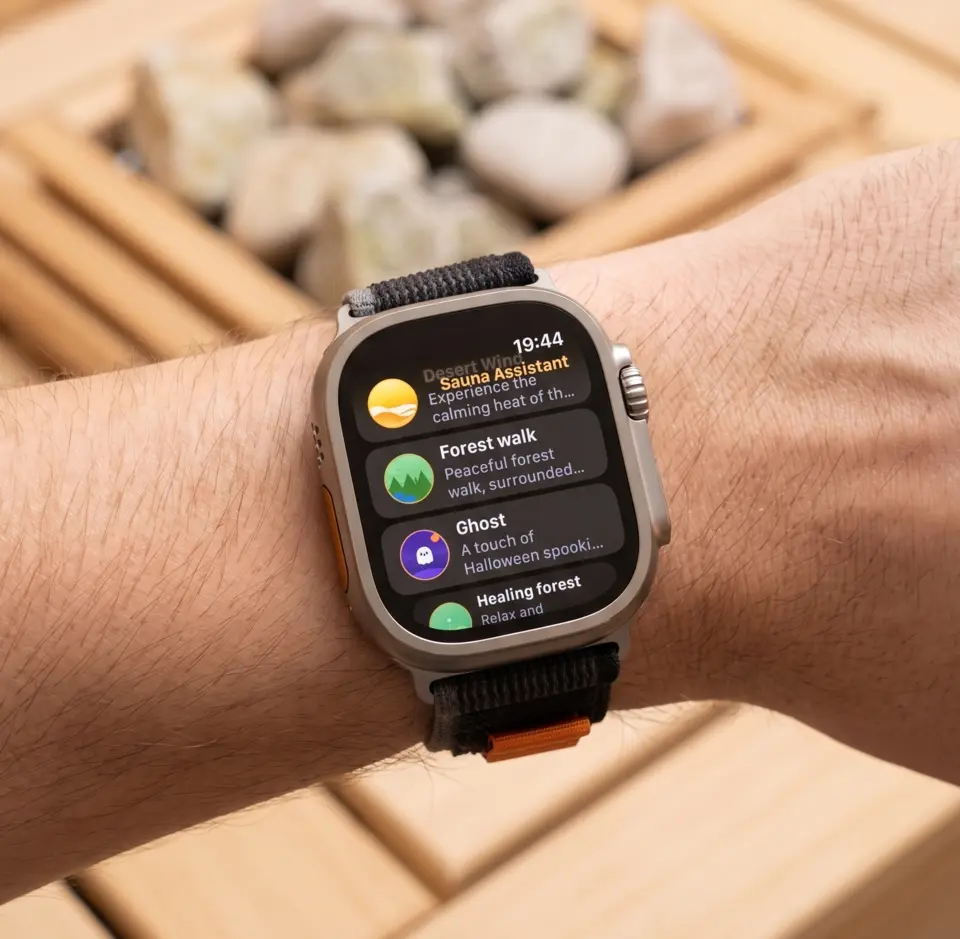
Short answer: yes, most people do, and the watch generally handles it - but Apple does not recommend it. Apple rates most Apple Watch models for ambient temperatures of 0°C to 35°C (32°F to 95°F). Apple Watch Ultra and later are rated to -20°C to 55°C (-4°F to 130°F) while worn. A Finnish sauna runs at 70-100°C, well above both.
The reason it works anyway is that your wrist is not the room. Your body actively cools the skin the watch sits against, so the case never reaches ambient temperature during a normal round.
This guide covers what the spec actually means, what fails when a watch does overheat, and how to keep it comfortable. If you are looking for how to log sauna sessions rather than whether the watch survives them, that is a different question - see how to track sauna on Apple Watch.
In This Guide
- Can You Wear Apple Watch in a Sauna?
- What Apple’s Spec Sheet Doesn’t Tell You
- Model-by-Model Temperature Ratings
- Water Lock and Sweat
- Heart Rate Accuracy in Heat
- Tips for Using Apple Watch in the Sauna
- Apple Watch vs. Other Wearables in Heat
- Warranty and Risk
- Frequently Asked Questions
Can You Wear Apple Watch in a Sauna?
Many people do, and the watch handles it better than the spec sheet suggests, but there are caveats worth understanding before you decide.
Apple’s official operating range for most Apple Watch models is 0°C to 35°C. A traditional Finnish sauna runs at 70-100°C. On paper the room is more than double the rated maximum.
In practice, the number that matters is the temperature at your wrist, not in the air. Your body regulates its own surface temperature, and the case sits against actively cooled skin rather than hanging in the hot air above the stove. The watch is insulated by you.
What this means in practice:
- Short to moderate rounds (10-15 minutes, see our guide to sauna timing) are generally uneventful for most users
- Extended exposure, or leaving the watch on a hot bench between rounds, is where problems start
- Infrared saunas run cooler (typically 45-65°C) and are considerably easier on the device
- Steam rooms are cooler still (40-50°C) but at near-total humidity - fine for the watch, which is rated WR50
Apple Watch is water resistant to 50 meters on standard models, so sweat and steam themselves are not a concern. Heat is.
What Apple’s Spec Sheet Doesn’t Tell You
The 35°C limit is conservative. It is the temperature at which Apple guarantees full functionality across millions of units - not the temperature at which the device fails. The realistic failure modes in heat are all recoverable:
- Charging refusal. Put a hot watch on a charger and it will slow or stop charging until it cools. This is deliberate and protects the battery. Apple does not publish a separate charging range for Apple Watch, but a watch on a charger is off your wrist - which puts even an Ultra back in the 0°C to 35°C operating range.
- Performance throttling. After a long hot session, especially on older models, you may see a warning and a cooling-down message. The watch keeps working but defers non-essential tasks. Stepping out for a few minutes clears it.
- The red thermometer screen. If internal temperature climbs far enough, Apple Watch shows only a red thermometer icon and the time until it cools. Take it off your wrist and move it somewhere cooler.
- Battery aging. Lithium-ion cells degrade faster under sustained heat. Years of heavy daily sauna use will likely shorten battery life modestly. The case shields the cell from the worst of it, but the effect is real and cumulative.
What you will not see from a normal sauna round: instant damage, screen failure, or a bricked watch. Apple’s caution is a manufacturer’s caution, not a hard physical cliff.
Model-by-Model Temperature Ratings
Apple publishes an Environmental Requirements section on current spec sheets, and only the Ultra line gets a second, wider figure for when the watch is actually on your wrist. Older models are a different story, covered below the table.
| Model | On-wrist operating | Operating | Storage |
|---|---|---|---|
| Ultra 2, Ultra 3 | -20°C to 55°C | 0°C to 35°C | -20°C to 45°C |
| Series 9, 10, 11 | Not published | 0°C to 35°C | -20°C to 45°C |
| SE 2, SE 3 | Not published | 0°C to 35°C | -20°C to 45°C |
| Ultra (1st gen), Series 7, Series 8, SE (1st gen) | Not published | Not published | Not published |
That first column is the whole story. Apple’s spec sheets for Ultra 2 and Ultra 3 list an on-wrist operating temperature of -20°C to 55°C and a plain operating temperature of 0°C to 35°C. The wider figure applies only while you are wearing it. Off your wrist, an Ultra is rated exactly like a Series 11.
That last row deserves a word, because you will find the figures quoted confidently elsewhere. Apple’s archived spec pages for Ultra (1st generation), Series 7, Series 8 and SE (1st generation) carry no Environmental Requirements section at all - no operating temperature, no storage temperature, nothing. If you own one of those, Apple currently publishes no temperature rating for it, and any number you read for them comes from somewhere other than Apple’s own documentation.
The Ultra advantage that is documented, on the first-generation Ultra as well as the current ones, is MIL-STD 810H testing against subsections including high temperature and temperature shock, in a titanium case. If you sauna daily and are choosing a model with that in mind, Ultra is the defensible pick.
That said, standard aluminum and steel models are what most sauna users own, and they work. Expect heat warnings sooner and more often, particularly on older Series models and in sessions beyond 15 minutes.
Water Lock and Sweat
Turn on Water Lock before you go in. Press and hold the side button, or tap the water-drop icon in Control Center. This disables the touch screen so steam condensation and sweat droplets do not register as taps - a real problem in a humid room, where a watch left unlocked will happily start and stop things on its own.
On unlock, the speaker ejects any moisture that has worked its way in.
Turn it on yourself before the first round - no app does this for you, so it is worth making part of the routine on the way in.
After the session, wipe the watch and band dry. Not because water will damage it, but because sweat leaves mineral residue that builds up in the lugs and band channels over time.
Heart Rate Accuracy in Heat
A common worry is that heat degrades the optical sensor. It generally does the opposite.
Heat causes vasodilation - blood vessels near the skin surface expand to shed heat. More blood flowing close to the wrist means a stronger signal for the green-light sensor, so readings in a sauna are often cleaner than at rest in a cold room. (Apple notes the reverse problem explicitly: heart rate measurements can be less accurate in low ambient temperatures.)
The one genuine source of error is mechanical. A sweaty wrist lets the watch slide, and a shifting sensor produces brief spikes or dropouts. Tightening the band one notch before you go in usually eliminates it entirely.
Worth knowing: the ECG app is only rated accurate between 0°C and 35°C, so ECG readings taken inside a hot sauna should not be trusted. Heart rate monitoring is unaffected.
Tips for Using Apple Watch in the Sauna
1. Keep it on your wrist. This is the single most important rule. Your wrist is the coolest place in the room for it. A watch left on a wooden bench absorbs direct radiant heat with nothing drawing it away.
2. Use the lower bench at first. Temperatures drop sharply closer to the floor - often 20-30°C between the top and bottom bench. Gentler on you and on the watch while you build tolerance.
3. Let it cool during rest periods. When you step out to cool down, the watch cools with you. This cycling is what keeps cumulative thermal exposure in check across a multi-round session. Rest breaks are also the moment to rehydrate.
4. Be careful around cold plunges. Going straight from a 90°C room into 10°C water is a thermal shock that is harder on electronics than stable heat. Step out, let things equalize for a moment, then plunge.
5. Don’t charge it hot. Let it return to room temperature first. Charging a hot battery is the one thing here with a plausible path to lasting damage.
6. Consider leaving it out entirely for long sessions. If you are doing a 30-minute Aufguss ceremony on the top bench, the honest advice is that your watch would rather sit this one out.
Apple Watch vs. Other Wearables in Heat
Purely on thermal tolerance and in-session usability:
- Chest straps (Garmin, Polar) have no meaningful thermal limit for sauna use and are more accurate at high heart rates, but need a phone or watch nearby to display anything.
- Whoop has no display, so there is no live feedback in the room. It reads the aftermath, not the session.
- Oura ring sits directly against skin and is rated to a similar 35°C ambient. Most users wear rings through saunas without issue, but again there is nothing to look at.
- Apple Watch Ultra has the widest documented ambient tolerance of any mainstream consumer wearable at 55°C.
For live on-wrist feedback in a hot room, Apple Watch is the most complete option - Ultra if you are buying for this specifically.
Warranty and Risk
Be clear-eyed about this: Apple’s warranty does not cover heat damage sustained outside the stated operating range. A sauna is outside the stated operating range for every model except Ultra, and arguably for Ultra too above 55°C.
In practice, heat damage from normal sauna use is rare, and the common symptoms (throttling, charging refusal, the red thermometer) are protective behaviors rather than faults. But the risk sits with you, not with Apple. If the watch is new and the loss would sting, the conservative choice is to leave it in the locker and log the session manually.
Is It Worth It?
If you already own an Apple Watch and use it sensibly - on the wrist, reasonable round lengths, cooling between rounds, no charging while hot - it holds up well for the large majority of users, and you get live heart rate you would otherwise be guessing at.
If you want to know what to do with that data - how to log sessions properly, why the calorie numbers lie, and why there is no sauna workout type in watchOS - read how to track sauna on Apple Watch next.
Frequently Asked Questions
Can you wear an Apple Watch in a sauna?
Most people can and do. Apple rates most models to 35°C ambient and Ultra models to 55°C, both below typical sauna temperatures of 70-100°C. In practice the watch sits against actively cooled skin rather than in the hot air, so standard 10-15 minute rounds are generally uneventful. Apple does not officially recommend it.
Which Apple Watch models are best for the sauna?
Apple Watch Ultra 2 and Ultra 3 are rated for ambient temperatures from -20°C to 55°C while worn, against 0°C to 35°C for current Series and SE models. Combined with a titanium case and MIL-STD 810H high-temperature testing, the Ultra line is the most robust choice for regular sauna use. Apple publishes no temperature rating at all for Ultra (1st generation), Series 7, Series 8 or SE (1st generation).
What happens if my Apple Watch overheats in the sauna?
It protects itself. You may see performance throttling with a cooling-down message, refusal to charge, or a red thermometer icon replacing the normal display. Remove the watch and let it cool in a cooler room. These are protective behaviors, not damage, and they resolve on their own.
Will the sauna void my Apple Watch warranty?
Apple’s warranty does not cover heat or liquid damage occurring outside the recommended operating specifications. Sauna temperatures exceed those specifications on every model, so any heat damage would be at your own risk.
Should I use Water Lock in the sauna?
Yes. Steam and sweat droplets register as touches and can trigger the screen unpredictably. Water Lock disables the touch screen and ejects moisture from the speaker when you unlock. Turn it on manually before your first round.